Procedure for creating QR codes and their use in promotion
Introduzione
Creating QR codes has become an essential practice to increase interaction and visibility in the promotion of products and services. Using AiBioLinker, a powerful platform for generating QR codes, it is possible to create customized codes easily and effectively. This lesson will provide a complete guide on the procedure for creating QR codes with AiBioLinker and their strategic use in promotion.
Procedure for Creating QR Codes
Step 1: Access the Platform
Step 2: Create a New QR Code
Once logged in, click on the “QR Codes” option in the left menu to create a new QR code. Then click the blue button +Create QR. AiBioLinker will offer you several customization options for your code.


Step 3: Customize the QR Code
Under the customization section, you can choose the type of content you want to link to the QR code. The options may include:
-
URL of websites
-
VCard for contact information
-
Custom text
-
and much more as you can see in the image below.

After selecting the type of content, enter the necessary information in the respective fields.
Step 4: Design the QR Code
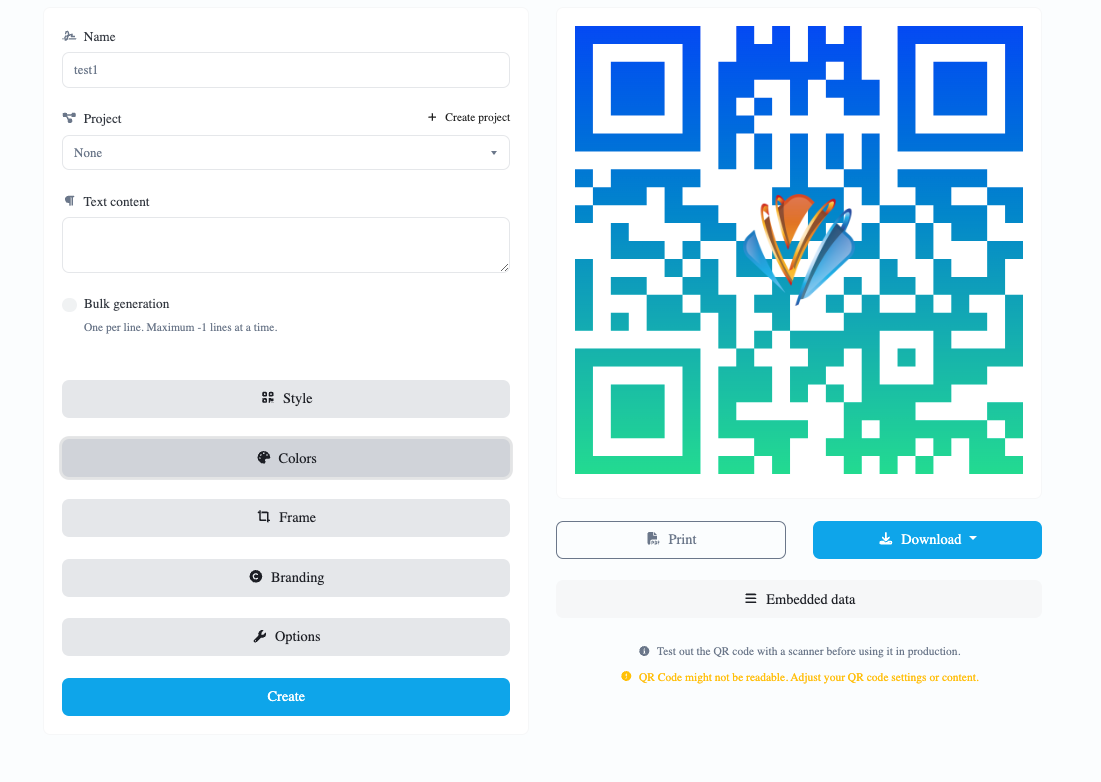
AiBioLinker allows you to modify the appearance of the QR code. You can choose different colors, add a central logo, and change the pattern of the code. It is recommended to maintain good contrast between the code and the background to ensure readability.
Step 5: Generate and Download the Code
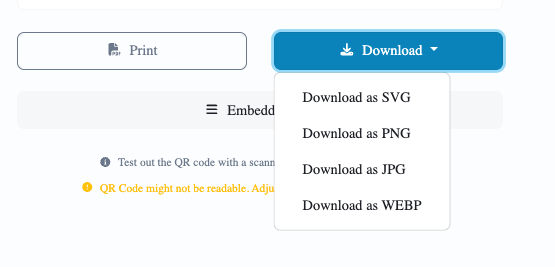
After completing all customizations, click the button to generate the QR code. Once generated, you can download the code in various formats (PNG, SVG, etc.) depending on your needs.
Using the QR Code in Promotion
Distribution
QR codes can be easily integrated into various advertising mediums:
-
Materiale stampato: brochures, flyers, business cards
-
In linea: websites, social media, newsletters
-
Events: booths, banners
Monitoring and Analysis
AiBioLinker offers tools for monitoring QR code scans. This analytical data is crucial for understanding user behavior and improving marketing strategies.
Conclusione
Generating QR codes with AiBioLinker is a simple and effective process that takes only a few minutes. By using advanced customization and monitoring options, you can maximize the promotional impact of your QR codes and enhance interaction with your audience.
 English
  Spanish
  German
  Portuguese
  French (France)
  French (Canada)
  Arabic
  Japanese
  Hindi
Hindi  Russian
  Indonesian
  Malay
Malay  Korean
  Tagalog
  Turkish
  Tamil
Tamil  Chinese (China)
  Chinese (Hong Kong)
  Chinese (Taiwan)
  Italian
  Greek
Greek  Dutch
Dutch