Creating an AiBioLinker account including a step by step guide to register a new account and set up the profile. Provide a detailed description of the process, explaining each step.
Instructions:
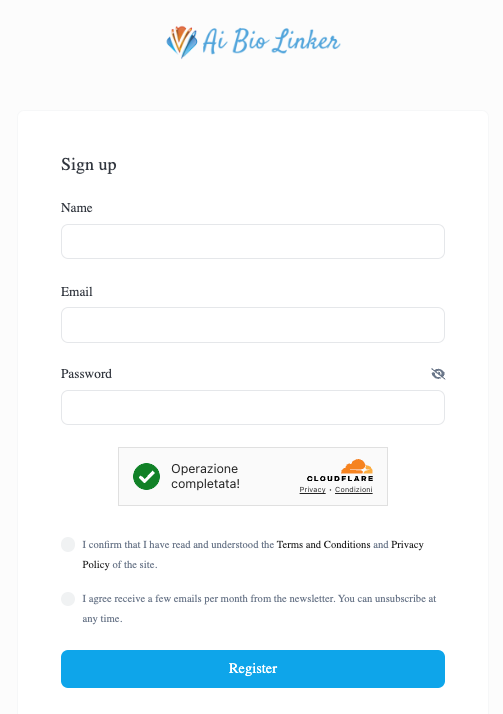
- Access the Registration Page
-
Go to the AiBioLinker.com website and click on the registration button.
-
Example: “Visit the site www.aibiolinker.com/register and click on ‘Sign Up’ in the top right corner.”

- Enter Personal Information
-
Fill out the registration form with your name, email address, create a secure password, check the box to accept Terms & Conditions, and check the box to receive the newsletter.
-
Example: “In the ‘Name’ field, enter ‘Luca Rossi’, type your email address, and create a password combining uppercase letters, lowercase letters, numbers, and symbols.”
- Confirm Registration Email
-
Check your email inbox for a confirmation email and click on the confirmation link.
-
Example: “Open your email and look for a message from info@AiBioLinker.com Click the link to confirm your registration.”
- Set Up Profile
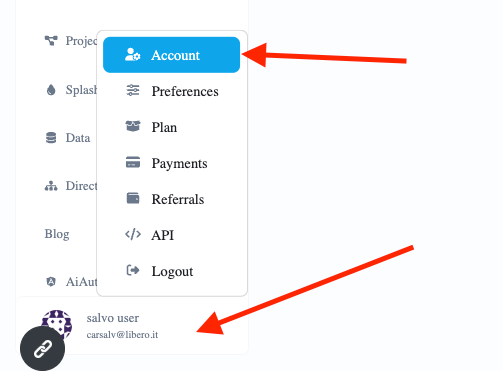
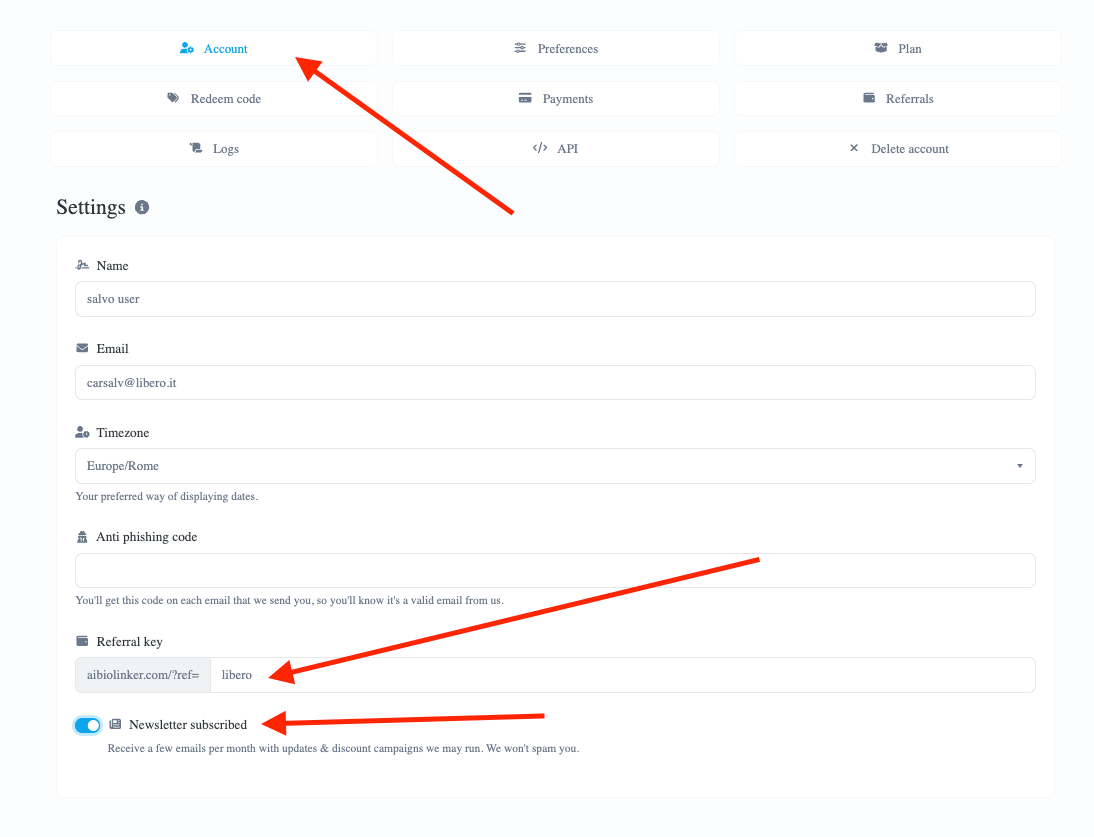
- After logging in, go to your profile section, found in the lower left corner, to complete your registration information and preferences. You can also customize your referral link and enter OPENAI API keys.

- Save Settings
- Make sure to save all entered information by clicking the ‘Update’ button at the end of the page.
By following these criteria, the result will be a well-configured account ready to be used on AiBioLinker.
 English
  Spanish
  German
  Portuguese
  French (France)
  French (Canada)
  Arabic
  Japanese
  Hindi
Hindi  Russian
  Indonesian
  Malay
Malay  Korean
  Tagalog
  Turkish
  Tamil
Tamil  Chinese (China)
  Chinese (Hong Kong)
  Chinese (Taiwan)
  Italian
  Greek
Greek  Dutch
Dutch